Student Portfolio
Timeline-based student portfolio tracking academics, achievements, co-curriculars, and teacher observations — auto-populated from school data.
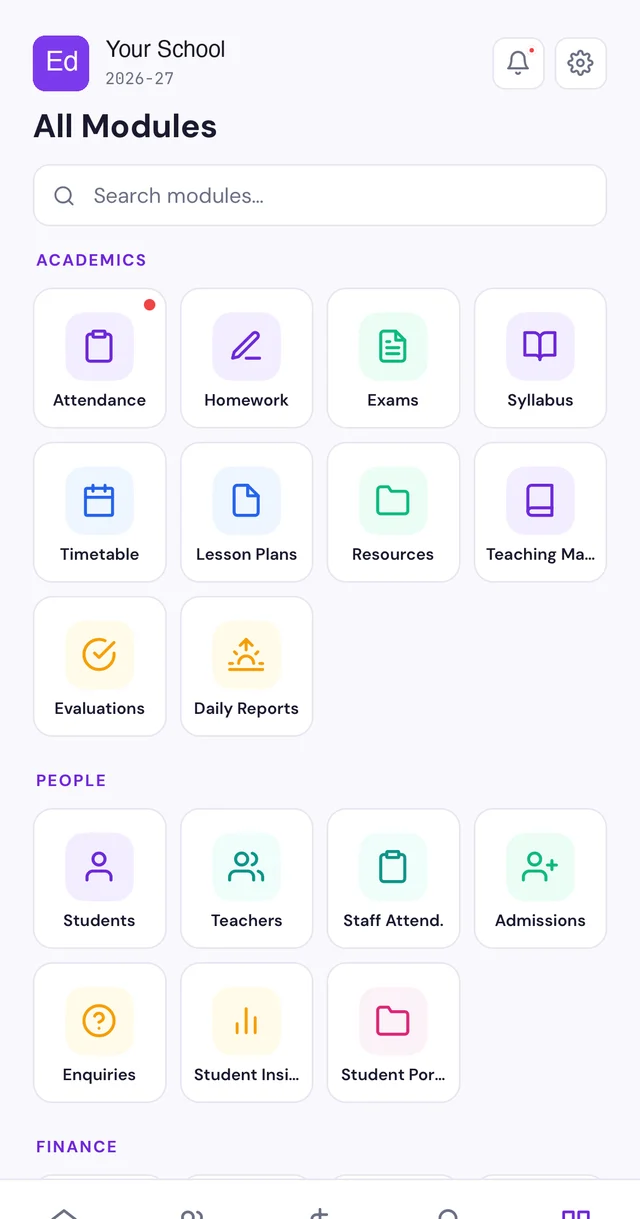
What makes Student Portfolio powerful.
Timeline View
A chronological timeline of every milestone — exam results, achievements, attendance streaks, teacher observations, certificates.
Auto-Populated Entries
Exam results, attendance milestones, and certificate data auto-populate into the portfolio. No manual entry needed.
Teacher Observations
Teachers add qualitative notes — leadership, creativity, effort, behavior — that go beyond numbers.
Co-Curricular Tracking
Sports achievements, art exhibitions, debate wins, science fair participation — all captured in one place.
Multi-Year History
Portfolio carries forward across classes and years. Class 5 teacher sees the full journey from Class 1.
Parent Timeline View
Parents see their child's complete growth timeline — from admission to present — with all milestones and achievements.
Simple, intuitive workflow designed for busy school staff.
- Auto-CaptureExam results, attendance milestones, and certificates auto-populate the portfolio
- Teacher Adds NotesTeachers add qualitative observations — leadership, effort, creativity, behavior
- Portfolio GrowsTimeline builds over months and years — a living record of the student's journey
- Parents View TimelineParents access the complete timeline from their dashboard or WhatsApp
Auto-Populated From School Data
Exam results, attendance records, and certificates automatically create portfolio entries. Teachers only need to add qualitative observations — the rest happens automatically.
- Exam results auto-create entries with marks and rank
- Certificates and awards auto-linked to portfolio
- Manual entries only needed for qualitative observations
More Than Just Marks
Report cards show marks. Portfolios show growth. Teachers add observations about leadership, creativity, teamwork, effort, and character — creating a holistic view of the student.
- Teacher observations on soft skills and character
- Co-curricular achievements and participation
- Behavioral patterns and growth over time
- Holistic development view beyond academic scores
Multi-Year Journey in One Place
A student's portfolio carries forward every year. When they move to Class 6, the new teacher sees their complete journey — academic trends, behavioral observations, achievements — all the way from Class 1.
- Portfolio carries forward across classes and years
- New teachers see complete student history
- Year-over-year academic trend analysis
- Longitudinal growth tracking from admission to graduation
Designed for every stakeholder in your school ecosystem.
Teachers
- See complete student history from previous years
- Add qualitative observations beyond marks
- Track student growth across terms and years
Parents
- See child's full journey — not just report cards
- Track achievements, milestones, and growth over time
- Share portfolio during school transitions
Principals
- School-wide student development insights
- Identify high-potential and at-risk students
- Data-driven parent-teacher meeting preparation
See the difference at a glance.
A comprehensive deep-dive into every aspect of this module.
Why Report Cards Are Not Enough
Report cards tell parents one thing: marks. They do not show whether a child improved from 60% to 75% over the year. They do not capture that a shy student volunteered to lead the school assembly. They do not record that a child who struggled in Maths started tutoring classmates by Term 3.
Students are more than their marks. Parents know this — but schools give them no other data. EdPayU's student portfolio changes this by creating a living, growing record of the entire student — academics, co-curriculars, behavior, milestones, and teacher observations.
- Report cards show marks — not growth or effort
- No record of soft skills, character, or co-curricular progress
- Year-over-year trends invisible to parents and teachers
- Students reduced to numbers instead of holistic individuals
Auto-Population: The Key to Adoption
Student portfolio systems fail when they depend entirely on manual entry. Teachers already have too much on their plates — asking them to type paragraphs into a portfolio tool is a non-starter. That is why EdPayU auto-populates most of the portfolio from existing school data.
When a student scores 92% in the Maths mid-term, that result automatically appears in the portfolio as a milestone. When a student achieves 100% attendance for a month, it is auto-captured. When a certificate is uploaded to the system, it links to the student's portfolio. Teachers only need to add qualitative observations — and even those have quick-fill templates.
- Exam results auto-create portfolio entries
- Attendance streaks and milestones auto-captured
- Certificates and awards auto-linked
- Teachers only add qualitative notes — bulk of data is automatic
The Power of Multi-Year Tracking
In most schools, when a student moves to a new class, the new teacher starts from scratch. They do not know the student's history — what they struggled with, what motivated them, how they grew. This is a massive loss of institutional knowledge.
EdPayU's portfolio carries forward across classes and years. When a Class 5 teacher opens a student's portfolio, they see the complete journey from Class 1 — academic trends, teacher observations from every year, co-curricular achievements, and behavioral patterns. This context transforms how teachers understand and support each student.
- Portfolio follows the student from admission to graduation
- New teachers inherit complete student context
- Year-over-year academic trends visible at a glance
- No loss of institutional knowledge during class transitions
Qualitative Observations That Matter
Numbers tell part of the story. A student scoring 70% in English does not tell you that they are a gifted storyteller who struggles with grammar rules. A student with 85% attendance does not reveal that they were caring for a sick parent during their absences. Teacher observations fill these gaps.
EdPayU makes it easy for teachers to add qualitative notes with quick-fill templates. Categories include leadership, creativity, teamwork, effort, resilience, empathy, and communication. These observations accumulate over years to create a rich, multi-dimensional picture of each student — invaluable for parent meetings, school recommendations, and student self-awareness.
- Quick-fill templates for common observation categories
- Leadership, creativity, teamwork, effort, resilience tracking
- Observations accumulate across terms and years
- Rich qualitative data for parent meetings and recommendations
Parent Access and Engagement
Parents can view their child's portfolio timeline from their dashboard — a scrollable feed of milestones, achievements, exam results, teacher observations, and photos. It is the most comprehensive view of their child's school life available anywhere.
During parent-teacher meetings, the portfolio becomes the centerpiece of the conversation. Instead of "your child is doing fine," teachers can point to specific entries: "She showed great leadership organizing the science fair in October" or "His Maths scores improved 15% after we started the extra practice sessions in January." Data-driven conversations replace vague feedback.
- Scrollable timeline view for parents on dashboard
- WhatsApp summaries of recent portfolio additions
- Portfolio powers data-driven parent-teacher meetings
- Exportable portfolio for school transitions and applications
School-Wide Insights for Principals
At the school level, portfolio data reveals powerful patterns. Which students are excelling both academically and in co-curriculars? Which students show declining trends that need intervention? Are there classes where teacher observations are consistently positive or consistently concerning?
Principals can use portfolio analytics to identify high-potential students for leadership roles, at-risk students for early intervention, and institutional trends that inform school policy. The portfolio is not just a student tool — it is a school-wide intelligence system.
- Identify high-potential students across dimensions
- Early warning system for declining trends
- Class-wise and school-wide development analytics
- Data-informed school improvement planning
Asked by principals
Does the portfolio auto-populate from exam results?
Yes — exam results, attendance milestones, and certificates automatically create portfolio entries. Teachers only need to add qualitative observations manually.
Can parents see the portfolio?
Yes — parents see a scrollable timeline of their child's milestones, achievements, exam results, and teacher observations from their dashboard.
Does the portfolio carry forward across years?
Yes — when a student moves to a new class, their entire portfolio history comes with them. New teachers see the complete journey from admission.
What kind of observations can teachers add?
Teachers can add notes on leadership, creativity, teamwork, effort, resilience, empathy, and communication — using quick-fill templates or free text.
Can the portfolio be exported?
Yes — portfolios can be exported as PDFs for school transitions, applications, or parent records. The export includes the full timeline with all entries.
How is this different from report cards?
Report cards show marks for one term. Portfolios show the complete student journey — academics, co-curriculars, behavior, milestones, and teacher observations across years.
Teaching, from the first bell to the report card
Try Student Portfolio
See how Student Portfolio works for your school. Book a personalized demo.
Book a demo