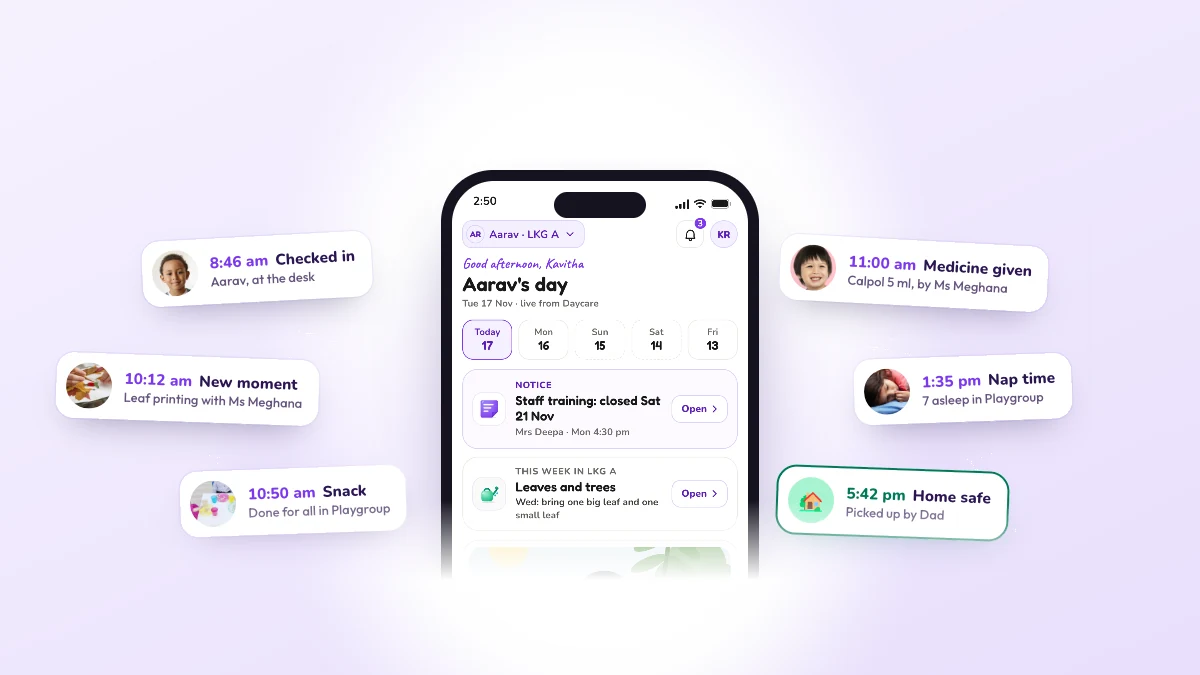
8:46am
Checked in
Aarav, at the desk
Check-in and check-out, kept in Records. At the door, EdPayU knows who may take each child home, and who may not.
Who sees it: Front office, Parent
 EdPayU

The gate, the classroom and every family’s phone, in one app. Free for preschools.
Sign up free


 Claude for Startups
The gate, the classroom and every family’s phone, in one app.

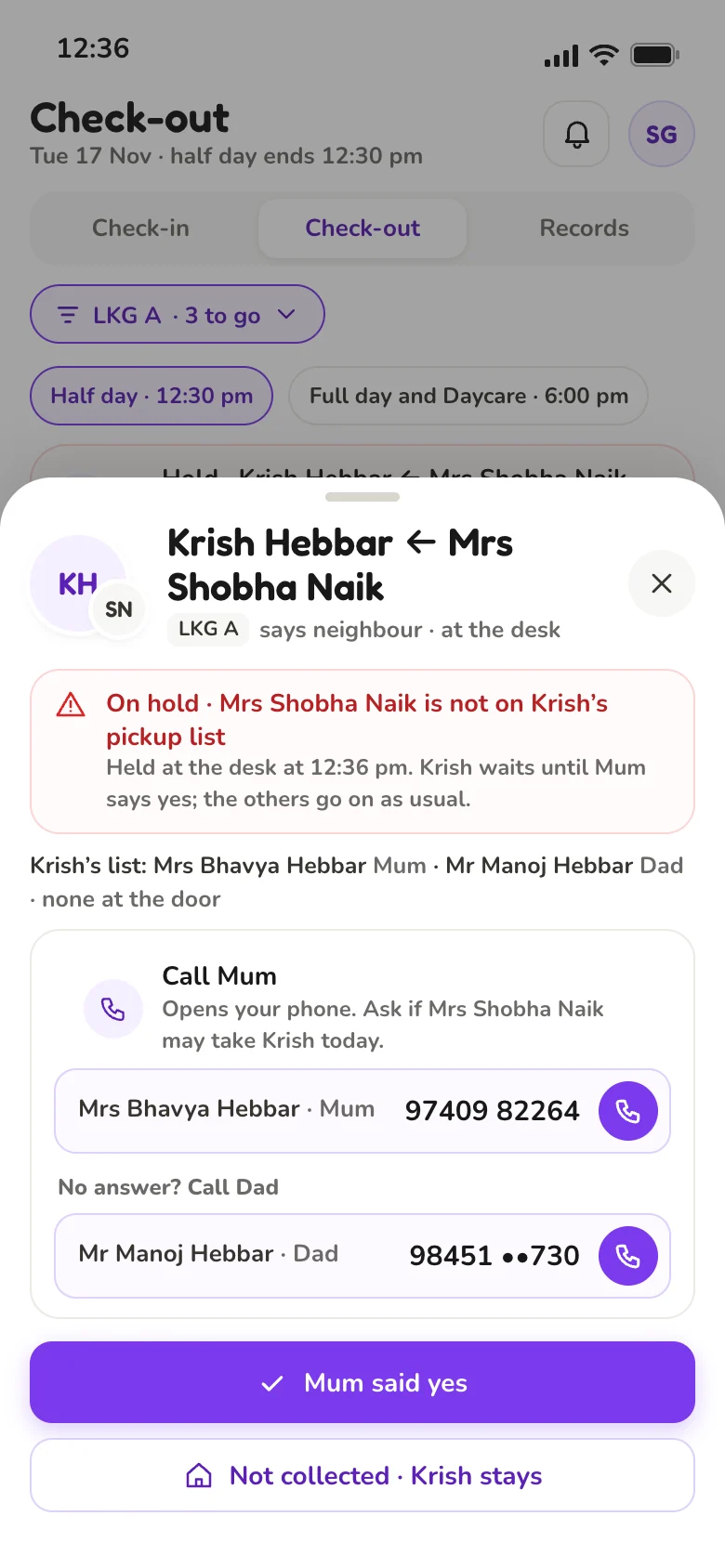
Aarav, at the desk
Check-in and check-out, kept in Records. At the door, EdPayU knows who may take each child home, and who may not.
Who sees it: Front office, Parent
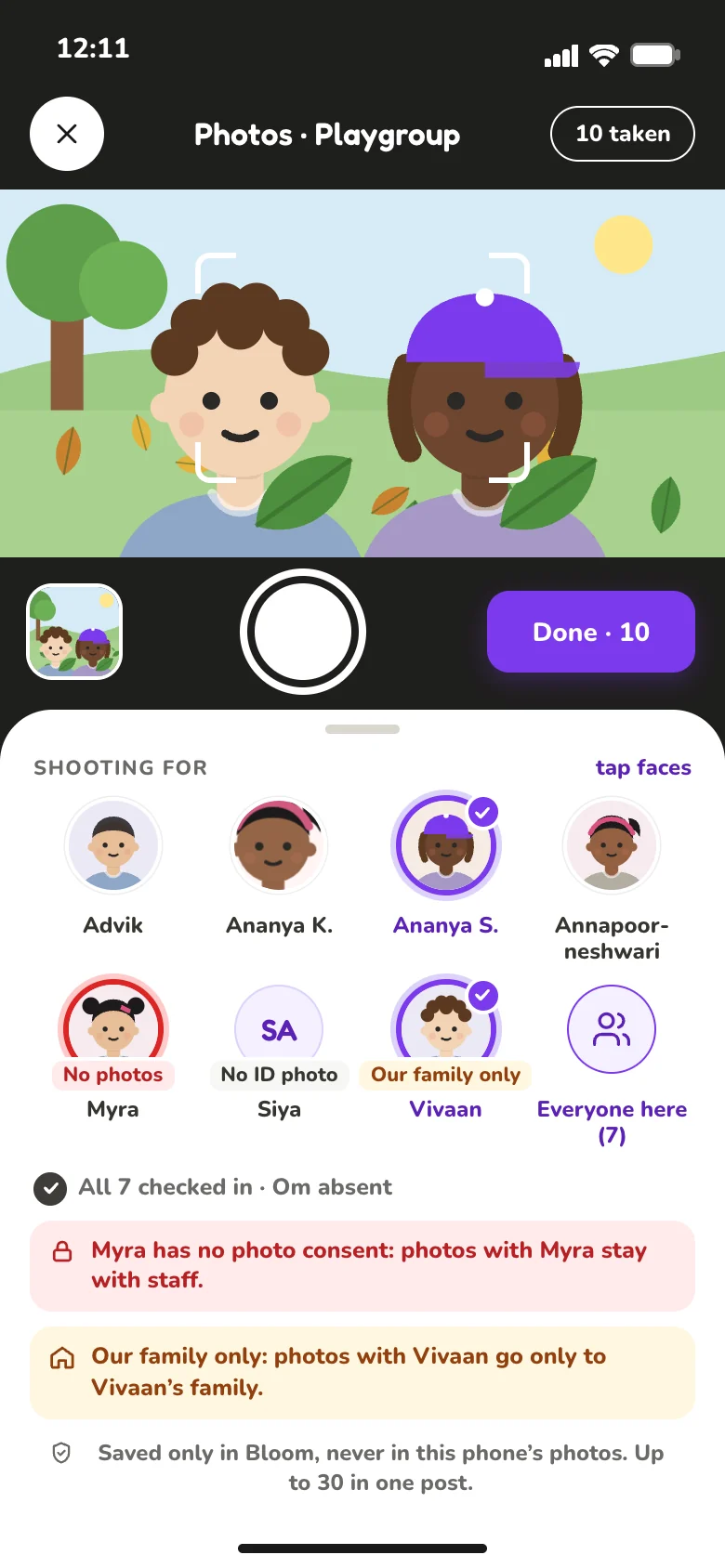
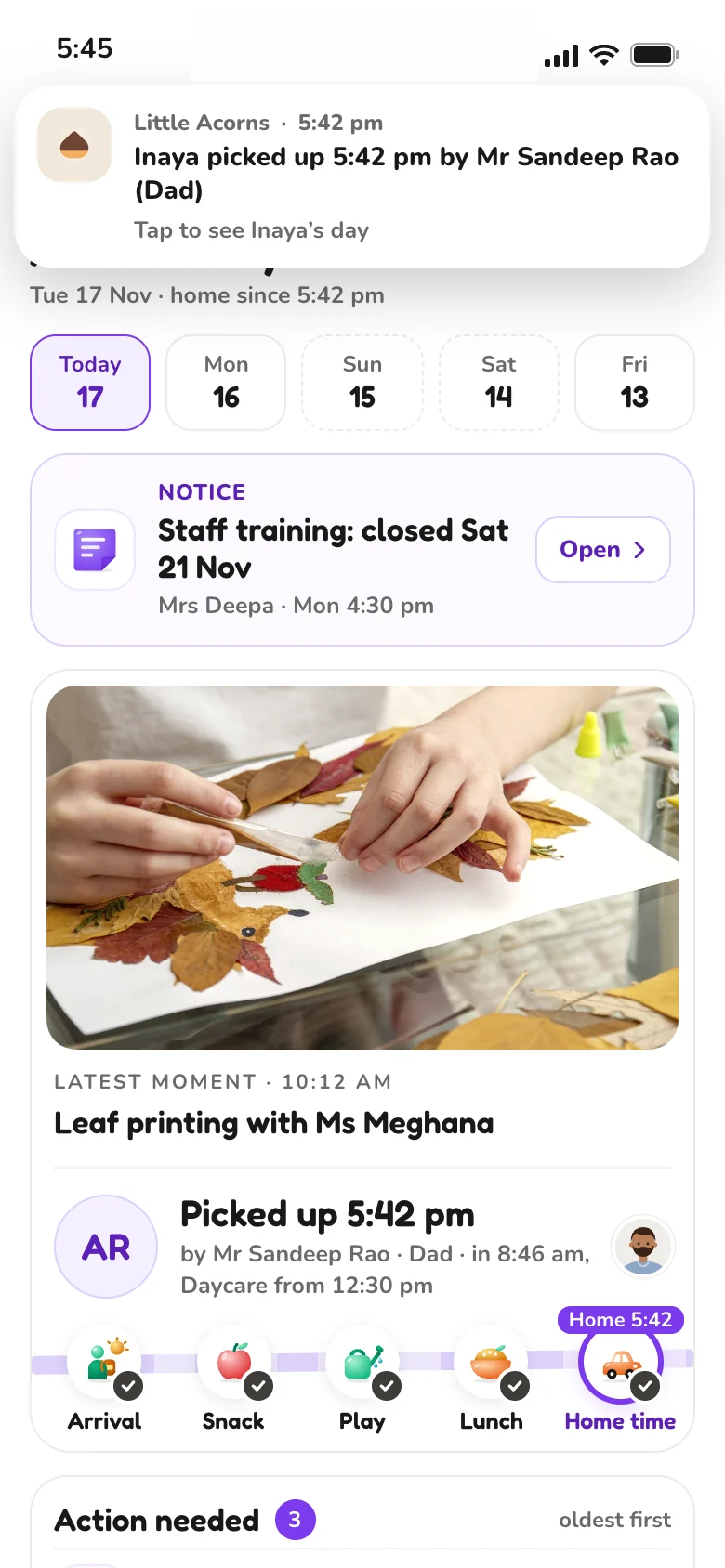
Leaf printing with Ms Meghana
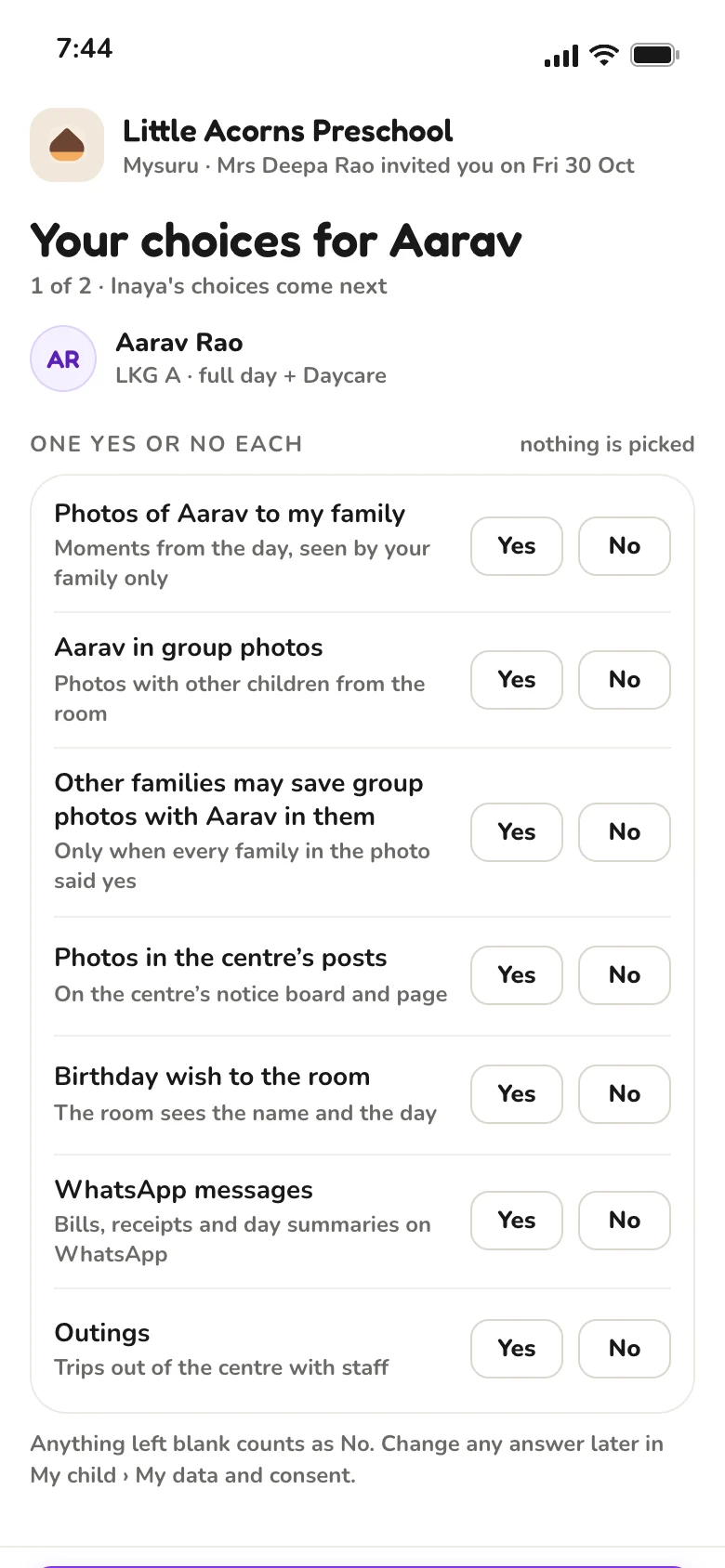
Photos that follow consent. A child with no photo consent stays with staff. Photos are saved only in EdPayU. A family sees a photo only if every other child in it is allowed.
Who sees it: Teacher, Parent
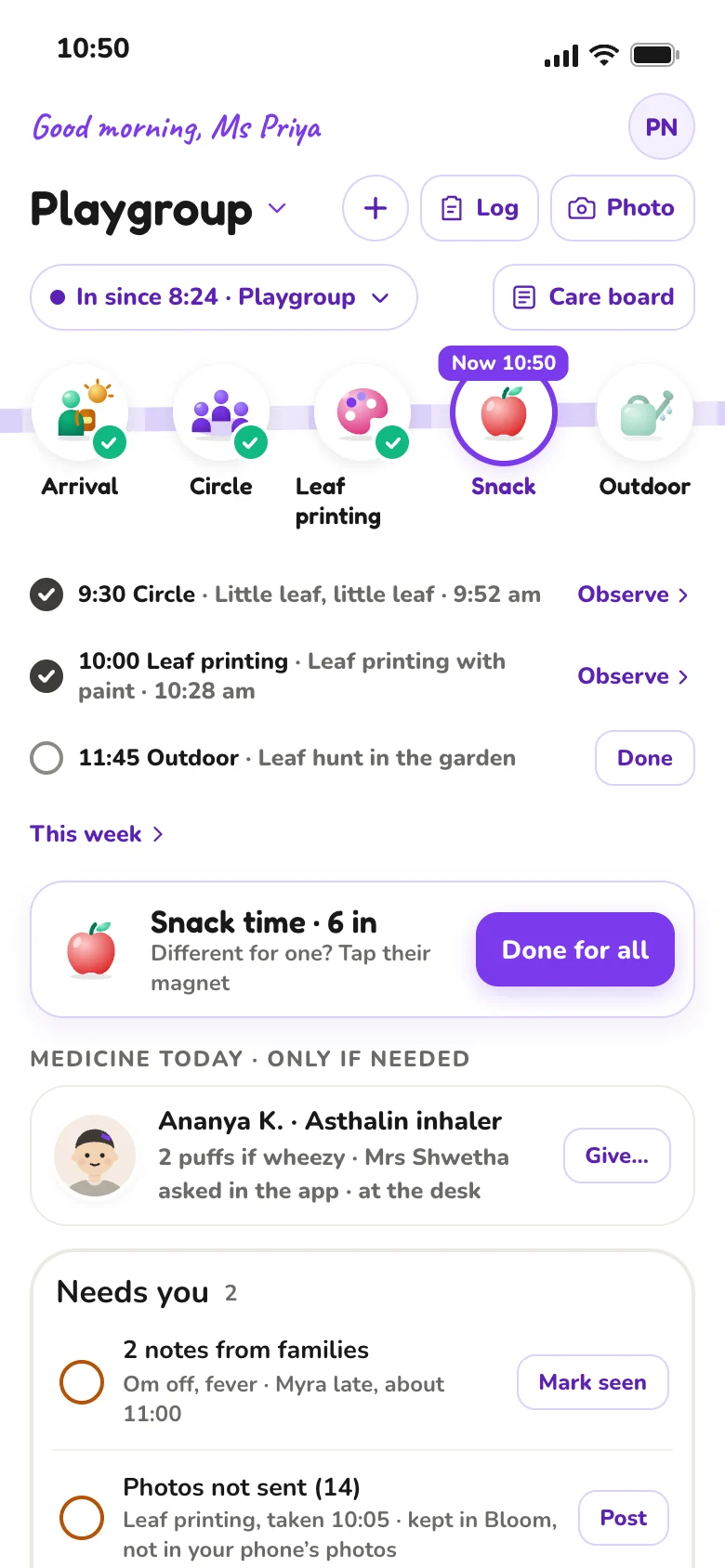
Done for all in Playgroup
Snack time for the whole room: “Done for all”. Snack · Done. Saved with the time.
Who sees it: Teacher, Parent
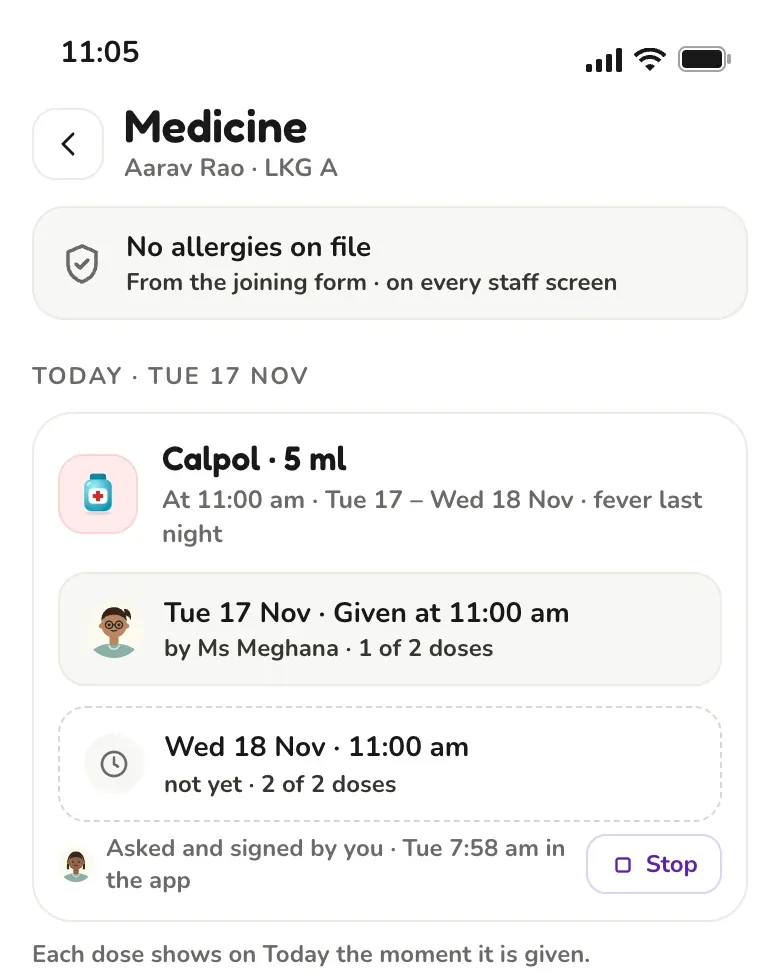
Aarav, Calpol 5 ml, by Ms Meghana
Medicine, as the parent asked. Each dose shows the moment it is given. Medicine record. The parent’s request and consent, and who gave each dose, when.
Who sees it: Teacher, Parent
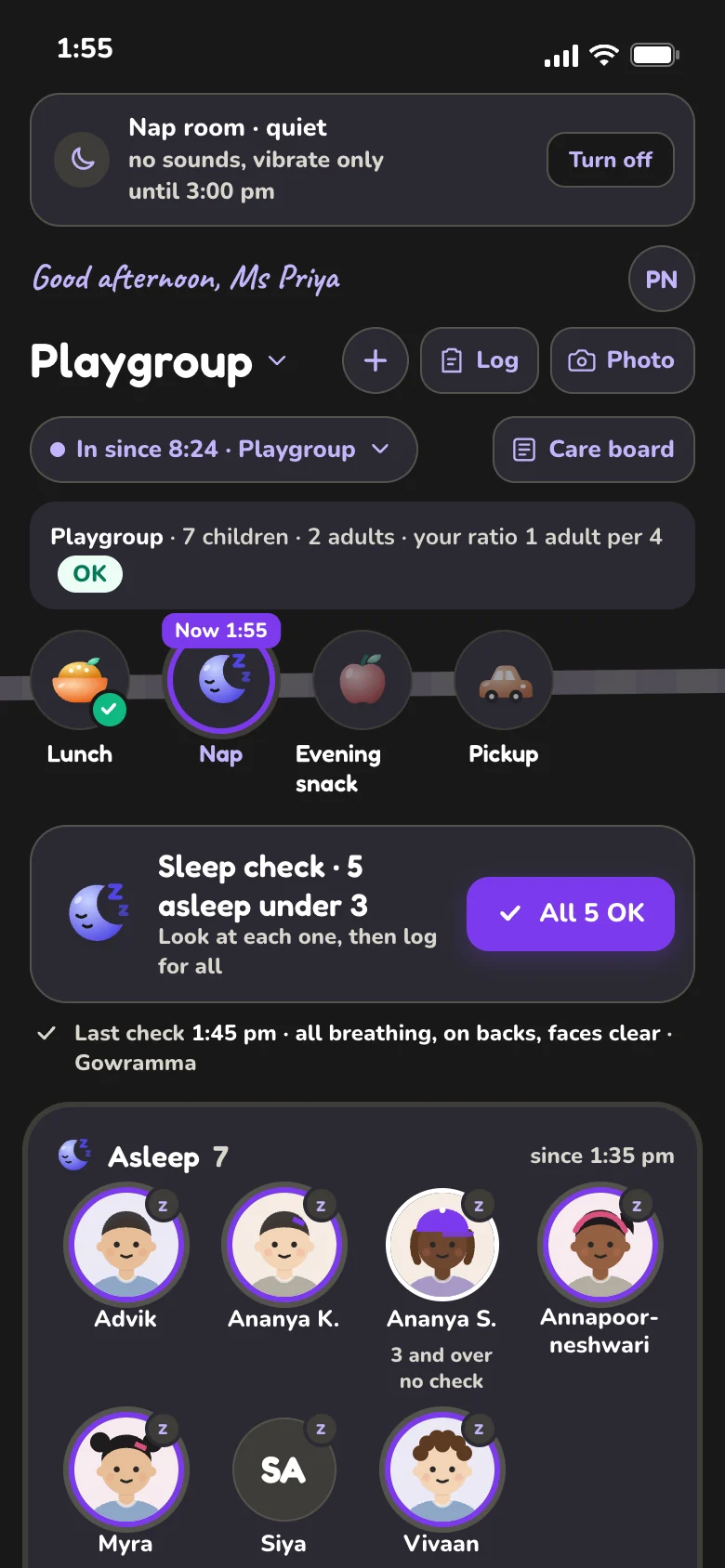
7 asleep in Playgroup
Sleep checks for under-3s. One tap when all are OK. Staff only. Who sees the sleep checks? Only staff. Families see nap times.
Who sees it: Teacher, Parent
Aarav and Inaya, picked up by Mr Sandeep Rao (Dad)
Only listed adults. Anyone not on the pickup list is held while staff call the parent. Do not release. “Nobody can override this, not even the owner.”
Who sees it: Front office, Parent
The parent hears at once and taps “I’ve read it”.
Every bill carries a UPI QR.
Teachers log the whole room on their own phones. Each entry shows on the parent’s Today within seconds.
Live updates through the day are part of Parent Plus. Safety alerts, medicine doses and fees stay free.
Shown with a demonstration centre. Names are not real children.
Teachers say what happened, in their own words. Vayu turns it into the day’s records, stops when something matters, and waits for their yes.
Nothing is saved until a teacher says yes.
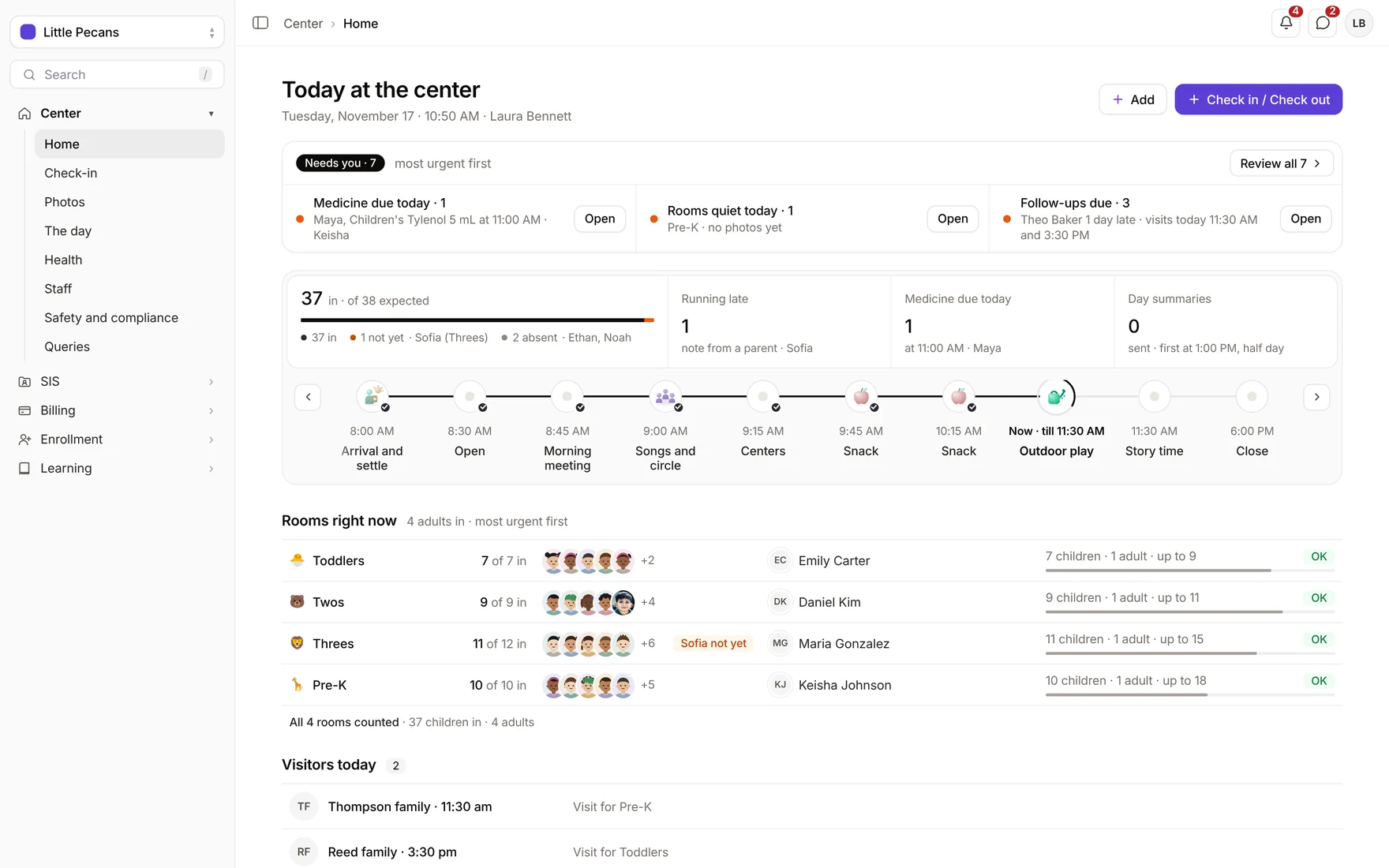
Who is in, which room is short of adults, and what needs you first. The numbers update by themselves.
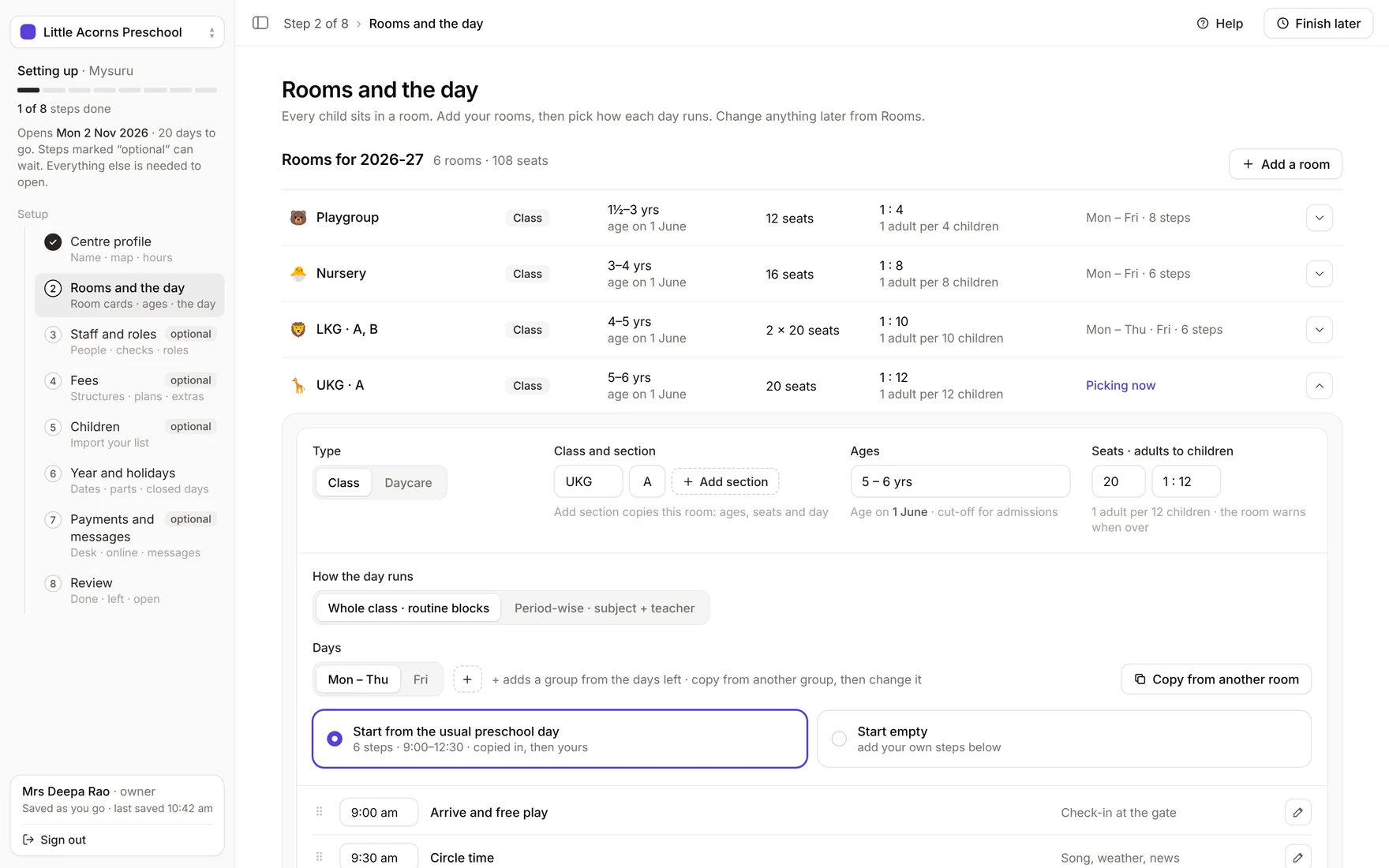
Eight steps on the web, with help on every step. Finishing sends nothing to families; you invite them when you are ready.
Each family decides who sees their child. Photos stay in EdPayU, never in a teacher’s phone gallery, and every choice is saved with who made it and when.

Free for your preschool.
Every tool for the office and the teachers, fees included. No plan to pick and no upgrade.
Pickup and safety alerts, medicine doses, notices, fees and one photo a day.
Optional: live updates through the day, every photo, and chat with the teacher.
EdPayU is an app for preschools and daycares: the gate, the classroom and every family’s phone, in one app. It covers check-in and check-out, photos that follow consent, meals, naps, medicine, fees and messages. It works on Android, iPhone and the web; teachers use their own phones. Setup takes eight steps on the web, within 10 minutes, and finishing sends nothing to families. It is free for your preschool, fees included, with no plan to pick and no upgrade.
Free for your preschool. Every tool for the office and the teachers, fees included. No plan to pick and no upgrade.
Free: pickup and safety alerts, medicine doses, notices, fees and one photo a day. Parent Plus is optional: live updates through the day, every photo, and chat with the teacher.
Within 10 minutes, in eight steps on the web. Finishing sends nothing to families.
Android, iPhone and the web. Teachers use their own phones; there is no room phone to buy.
Only adults the parent has listed, each with a photo. Anyone else is held while staff call the parent.
No. Nothing is saved until a teacher approves the card.
Guides for preschool owners, with their sources.
There is no single national preschool licence. Here is the model most states borrow from, what we could confirm for four states, and the papers to keep ready.
India · 8 min readPreschool safety checklist for India, based on the NCPCR play school checklistThe government already wrote a safety checklist for play schools. Here it is in plain words, with the POCSO reporting duty every owner should know.
India · 7 min readPreschool curriculum in India: NEP 2020, NCF-FS 2022 and what they mean for your centreFour national documents shape what a 3 to 6 year old should do at a preschool. Here is what each one says, and the rules that come with them.
Set up your rooms, staff and families, then open the door.
Sign up freeLeave your number and we will call you. Free for preschools.